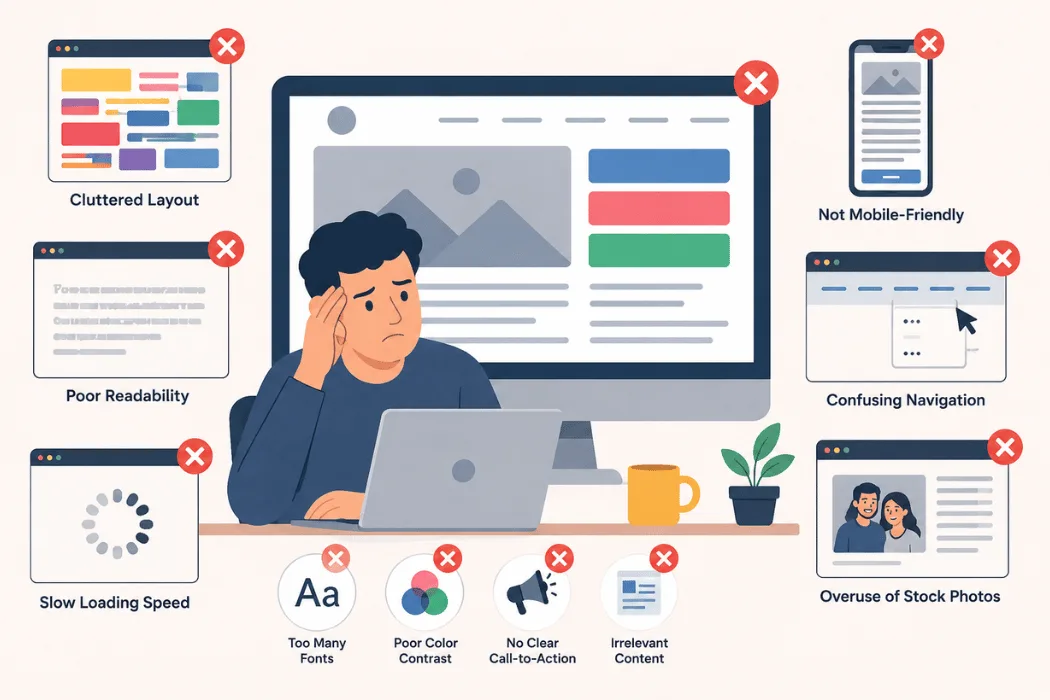
A website is often the first interaction potential customers have with a business, so good design is essential for trust and user experience. One of the common web design mistakes businesses make is creating web pages with poor navigation, cluttered layouts, and unclear important content.
Modern users want your website to be fast, mobile-friendly, and cohesive across all devices. Poor design can reduce engagement, hurt SEO, and lower conversions. Understanding these mistakes and how to avoid them will help website owners improve user experience and lead generation while building a stronger online presence.
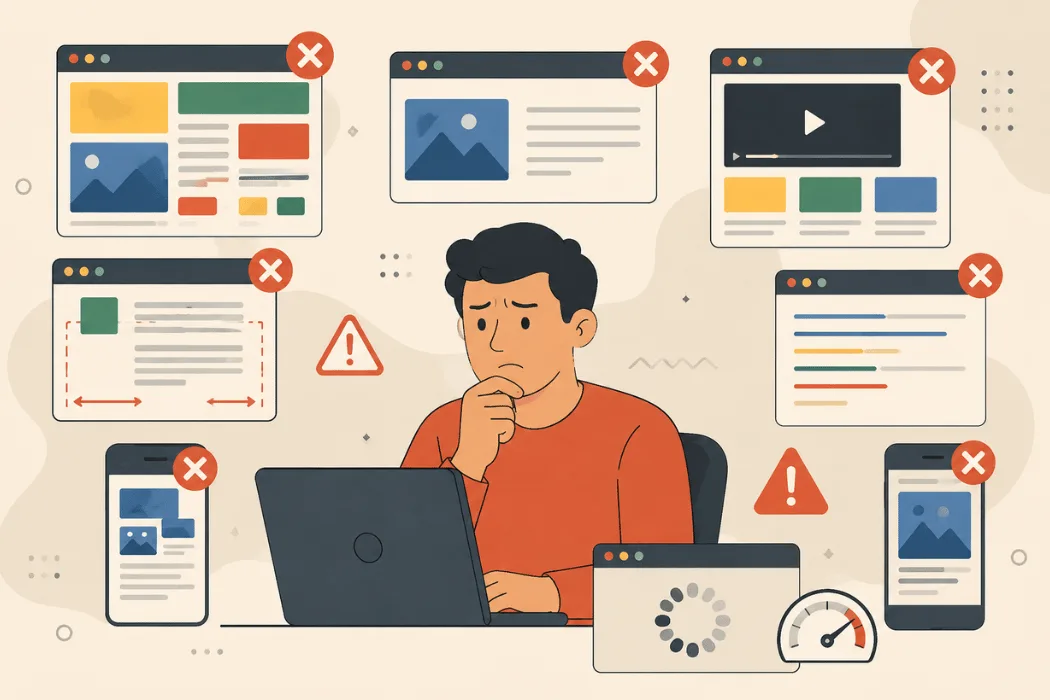
What Are Some of the Most Common Mistakes in Website Design?
Website design plays a major role in how users interact with a business online. A website is often the first impression customers have of a company, and that first impression can directly influence trust, engagement, and conversions. Even if a business offers high-quality products or excellent services, poor website design can create frustration and drive users away within seconds.
Modern internet users expect websites to be fast, mobile-friendly, visually organized, and easy to navigate. Search engines like Google also prioritize websites that deliver better user experiences. This means that website design is no longer just about appearance. It directly affects SEO performance, brand credibility, customer retention, and conversion rates.
Many businesses focus only on visual creativity while ignoring usability, accessibility, and performance. However, a beautiful website that is difficult to use will still fail to achieve its goals. Effective web design combines functionality, readability, accessibility, and technical optimization to create a smooth browsing experience.
Understanding the most common website design mistakes is important for businesses, developers, designers, and marketers who want to improve user satisfaction and online visibility.
Poor First Impression and Visual Confusion
The first few seconds after a visitor lands on a website are extremely important. If the website looks outdated, cluttered, or unprofessional, users may leave immediately without exploring further.
Common First Impression Mistakes
- Outdated website layouts
- Too many colors and fonts
- Poor quality images
- Overcrowded homepage sections
- Inconsistent branding
Why First Impressions Matter
| Design Issue | Negative Impact |
|---|---|
| Cluttered layout | User confusion |
| Poor visuals | Reduced trust |
| Weak branding | Low recognition |
| Unclear messaging | Higher bounce rates |
Clean and organized web design helps businesses appear more professional and trustworthy.
Slow Website Loading Speed
One of the most common and damaging website design mistakes is slow loading speed. Users today expect websites to load almost instantly. Visitors are likely to leave a page if it takes too long to load.
A slow website not only frustrates users but also affects SEO rankings because search engines consider page speed an important ranking factor.
Common Reasons for Slow Websites
- Large unoptimized images
- Excessive plugins
- Poor-quality hosting
- Heavy animations and videos
- Too many JavaScript files
- Unoptimized website code
Impact of Slow Loading Speed
| Problem | Effect on Website |
|---|---|
| High bounce rate | Users leave quickly |
| Lower search rankings | Reduced visibility |
| Poor user experience | Less engagement |
| Reduced conversions | Fewer leads and sales |
How to Improve Website Speed
- Compress images
- Reduce unnecessary plugins
- Minimize CSS and JavaScript
- Enable browser caching
- Choose reliable hosting services
Fast websites improve user experience and help increase conversions.
Ignoring Mobile Responsiveness
Mobile responsiveness is essential in modern web design because many users browse websites using smartphones and tablets. Websites that do not adapt properly to mobile screens create major usability issues.
Common Mobile Design Issues
- Text too small to read
- Difficult navigation
- Broken layouts
- Slow mobile performance
- Distorted images
Benefits of Responsive Design
| Feature | Benefit |
|---|---|
| Flexible layouts | Better usability |
| Mobile optimization | Improved SEO |
| Faster navigation | Better engagement |
| Better readability | Improved user experience |
Google also uses mobile-first indexing, making mobile optimization critical for SEO.
Poor Navigation Structure
Navigation helps users move through a website efficiently. Poor navigation creates confusion and frustration.
Common Navigation Mistakes
- Overcrowded menus
- Too many dropdowns
- Hidden navigation bars
- Unclear menu labels
- Broken internal links
Effects of Bad Navigation
| Navigation Problem | User Reaction |
|---|---|
| Confusing structure | Frustration |
| Too many choices | Decision fatigue |
| Broken links | Loss of trust |
| Hidden menus | Reduced usability |
Simple and organized navigation improves user satisfaction.
Cluttered Website Layouts
Many websites place too much information on one page. Excessive advertisements, animations, and text blocks create visual clutter.
Common Layout Mistakes
- Too many pop-ups
- Poor spacing
- Excessive ads
- Overlapping sections
- Too many fonts and colors
Why Clean Layouts Work Better
- Improve readability
- Help users focus
- Create professional appearance
- Simplify navigation
Whitespace improves visual balance and content clarity.
Poor Typography Choices
Typography directly affects readability and accessibility.
Common Typography Mistakes
- Small font sizes
- Decorative fonts
- Weak text contrast
- Too many font styles
- Poor line spacing
Typography Best Practices
| Typography Element | Recommendation |
|---|---|
| Font size | Easy to read |
| Font style | Clean and simple |
| Contrast | Strong visibility |
| Line spacing | Better readability |
Readable typography keeps users engaged longer.
Weak or Missing Calls-to-Action
A website should clearly guide users toward actions.
Examples of Effective CTAs
- Contact Us
- Learn More
- Request a Quote
- Book an Appointment
Common CTA Mistakes
- Hidden buttons
- Weak wording
- Poor placement
- Too many CTA options
Strong CTAs improve conversions and user direction.
Excessive Pop-Ups and Auto-Play Media
Too many pop-ups interrupt browsing and reduce user satisfaction.
Problems Caused by Excessive Pop-Ups
- Interrupt browsing
- Slow down pages
- Increase bounce rates
- Create poor mobile experiences
Better Alternatives
- Use delayed pop-ups
- Limit interruptions
- Allow easy closing options
- Avoid automatic audio playback
User-friendly websites avoid aggressive interruptions.
Ignoring Accessibility
Accessibility ensures websites can be used by everyone, including people with disabilities.
Common Accessibility Problems
- Missing image alt text
- Poor color contrast
- Keyboard navigation issues
- Missing form labels
Accessibility Improvements
| Accessibility Feature | Purpose |
|---|---|
| Alt text | Supports screen readers |
| Proper headings | Better structure |
| Keyboard navigation | Easier browsing |
| Color contrast | Improved readability |
Accessible websites improve usability and SEO performance.
Poor Content Structure
Poorly organized content makes websites difficult to read.
Common Content Structure Mistakes
- Long paragraphs
- Missing headings
- Lack of bullet points
- Poor spacing
Better Content Practices
- Use headings
- Add bullet points
- Break content into sections
- Maintain logical flow
Structured content improves readability and engagement.
Ignoring SEO During Website Design
SEO and website design should work together.
Common SEO Design Mistakes
- Missing heading hierarchy
- Poor URL structure
- Slow page speed
- Unoptimized images
- Missing metadata
Connection Between SEO and Design
| Design Factor | SEO Benefit |
|---|---|
| Fast loading speed | Better rankings |
| Mobile responsiveness | Improved visibility |
| Structured headings | Easier indexing |
| Clean navigation | Better crawling |
Good design supports both users and search engines.
Inconsistent Branding
Consistent branding improves professionalism and trust.
Common Branding Mistakes
- Different fonts across pages
- Random colors
- Inconsistent layouts
- Uneven button styles
Strong branding improves recognition and credibility.
Lack of User Testing
Websites should always be tested before launch.
Important Areas to Test
- Mobile responsiveness
- Browser compatibility
- Navigation flow
- Forms and buttons
- Loading speed
Testing helps identify usability issues early.
Overusing Animations
Animations should improve the experience, not distract users.
Problems with Too Many Animations
- Slower loading times
- Motion distractions
- Poor accessibility
- Weak mobile performance
Minimal animations create cleaner and more professional websites.
Why User Experience Should Always Be the Priority
Businesses often design websites based on personal preferences instead of user needs. Successful websites focus on helping users complete tasks quickly and comfortably.
User-Focused Websites Usually Achieve
- Better engagement
- Higher conversions
- Improved SEO
- Lower bounce rates
- Greater customer trust
Simple and functional websites usually perform better than overly complex designs.
The Importance of Website Trust Signals
Trust signals help users feel confident while browsing a website.
Important Website Trust Elements
- HTTPS security
- Professional design
- Clear contact information
- Customer reviews
- Consistent branding
Trustworthy websites encourage users to stay longer and take action.
How Website Design Affects SEO
Website design and SEO are closely connected because both focus on improving user experience.
Design Elements That Affect SEO
- Mobile usability
- Page speed
- Content structure
- Internal linking
- Accessibility
Good web design improves search rankings and online visibility.
FAQs
Why is mobile responsiveness important in web design?
Mobile responsiveness ensures websites work properly across smartphones, tablets, and desktops while improving usability and SEO performance.
How does slow website speed affect SEO?
Slow websites increase bounce rates and reduce user satisfaction, which can negatively affect search rankings.
What is the biggest navigation mistake in website design?
Confusing menus and poor navigation structures make it difficult for users to find information quickly.
Why are pop-ups harmful for user experience?
Too many pop-ups interrupt browsing and frustrate visitors, especially on mobile devices.
How can accessibility improve a website?
Accessibility improves usability for all users, including people with disabilities, while also supporting SEO.